

The Belkin Connect Pro Thunderbolt 4 review describes a layout with frequently used ports on the front and persistent connections around the rear. The reviewer found that arrangement helped keep the visible desk less cluttered. The source also raises important compatibility reservations.
Verify the required computer and external-display setup before installation, especially on a Mac. Place removable devices within reach and gather permanent leads behind the dock with room for airflow. A useful port layout is valuable only when the supported functions match the host.
Reserve the downstream Thunderbolt connection
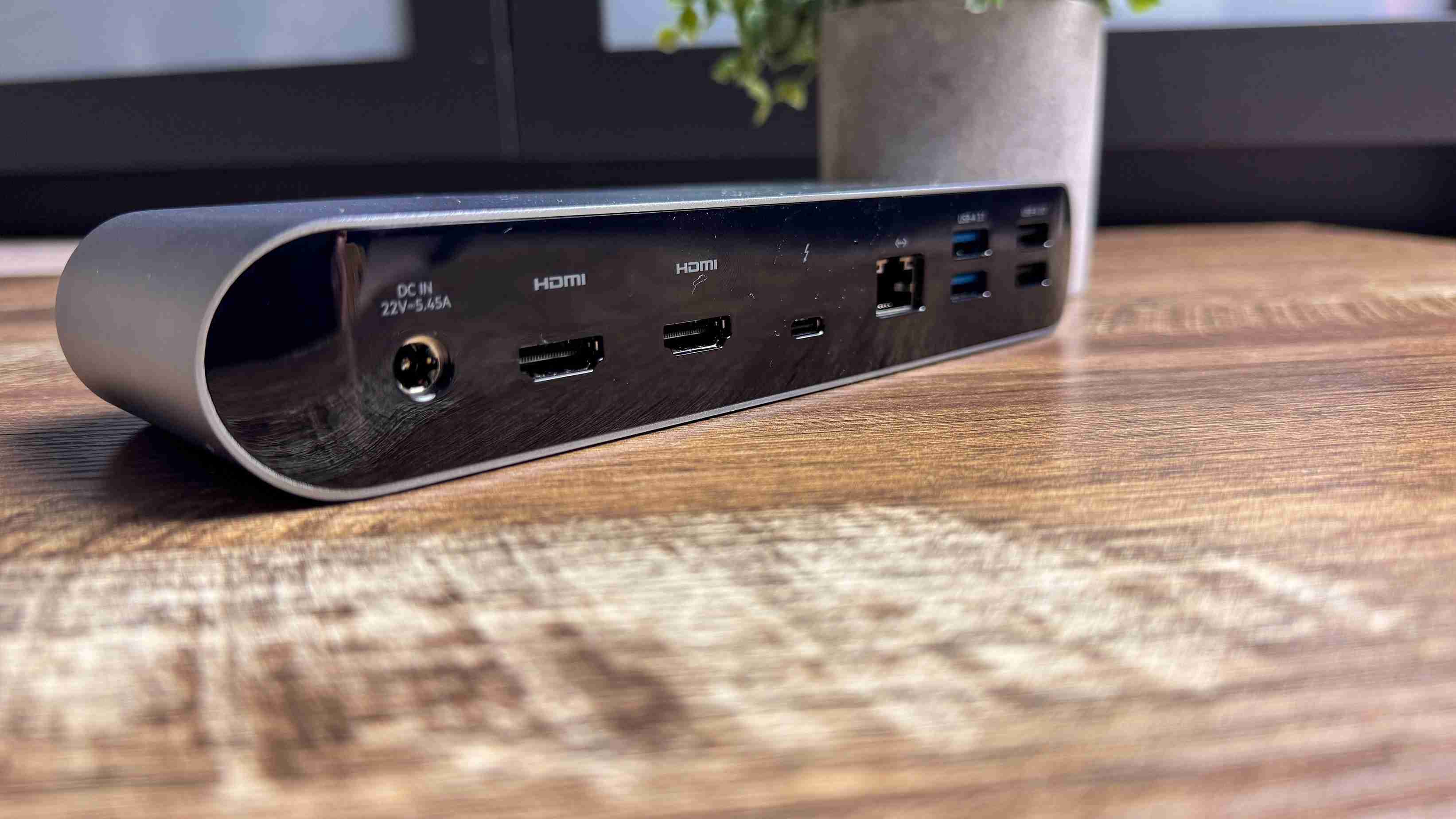
The front Thunderbolt socket links the dock to the host; the rear provides only one downstream Thunderbolt 4 connection. That is an important difference from simply counting all twelve ports. An external SSD or another fast accessory may need that rear socket. Decide which device gets it before bundling permanent leads, especially if a second display will consume the same resource.
Test the exact Mac display arrangement
The review explains that macOS does not use the dock's dual HDMI outputs as separate extended displays through Multi Stream Transport. Its M3 Pro MacBook Pro setup needed the downstream Thunderbolt port and an adapter for the second screen. The dock does not provide a DisplayLink workaround. Host-specific limits still apply, so the general multi-monitor claim must be checked against the actual computer and connection plan.
Use front access for removable media
The front panel includes an SD reader, audio jack and USB-C data port, while Ethernet, HDMI and several USB-A connections sit behind. The reviewer also verified the claimed 90W laptop power delivery with a meter. That mix can simplify reconnecting a laptop, but card access and the upstream lead remain at the front. Position the low, wide enclosure so those regular interactions remain easy after the permanent cables are organized.
Allocate the scarce fast connection before counting the total ports
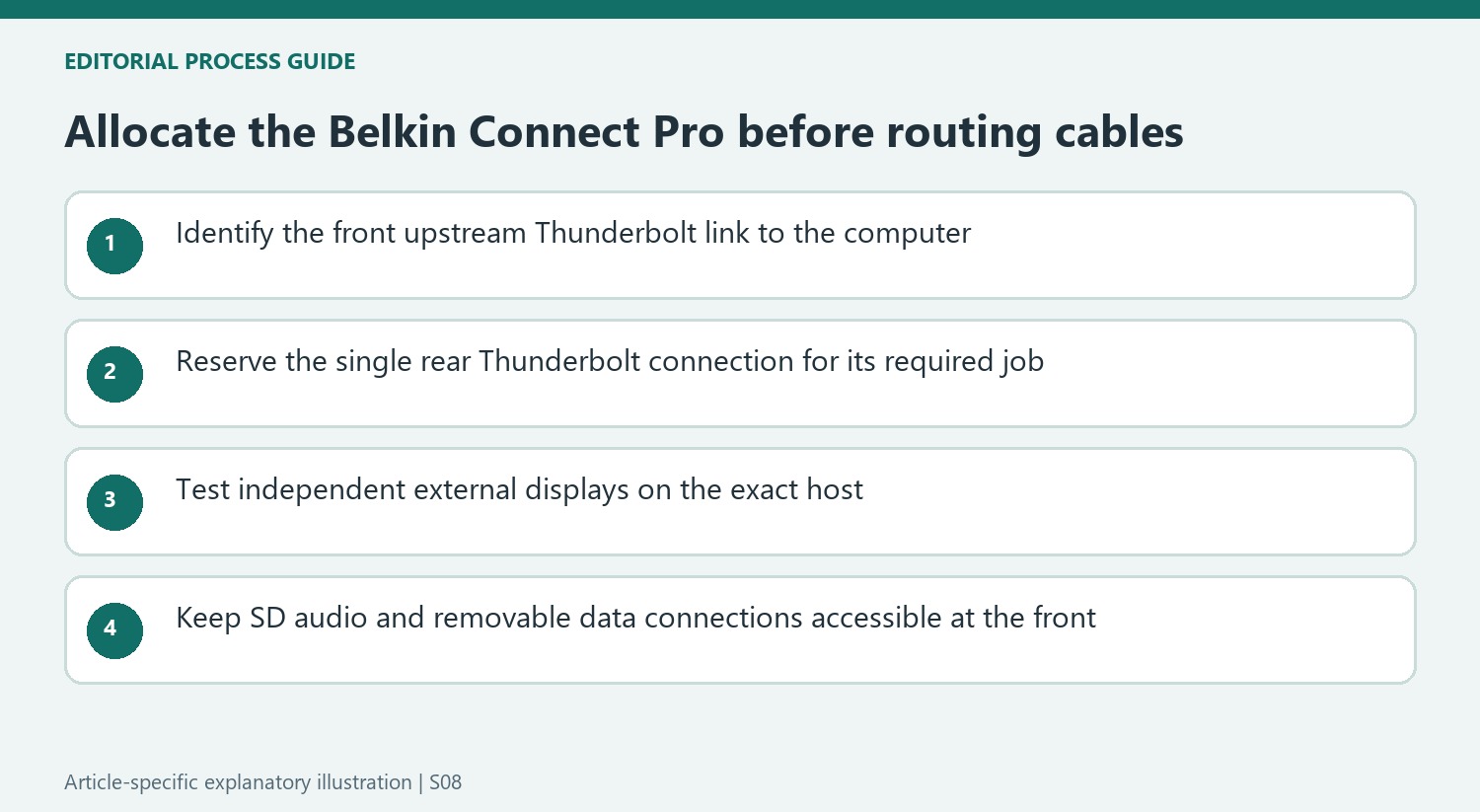
The twelve-port total includes connections that do very different jobs. The front Thunderbolt socket is the upstream link to the computer, leaving one rear Thunderbolt port for a downstream device. That distinction becomes important for an external SSD or another accessory requiring the faster connection. A large total number of sockets cannot compensate if the one type needed most has already been assigned to a display adapter.
Map the permanent rear leads and frequently changed front connections separately. The rear includes two HDMI outputs, Ethernet and four USB-A sockets split between faster and older standards. The front USB-C data socket, SD reader and audio jack provide accessible everyday interactions. Check the required speed for each device rather than placing everything solely according to which side looks tidier. The supplied variety is useful when its allocation matches the actual equipment collection.
Test independent display behavior with the exact computer
The reviewer's M3 Pro MacBook Pro illustrated why two HDMI sockets should not be mistaken for two independent extended Mac displays. The dock's arrangement relies on Multi Stream Transport in a way macOS does not use for that purpose. Its second screen therefore needed the downstream Thunderbolt connection and an adapter. Reproduce the intended arrangement with the actual host before concealing cables, and check that computer's own external-display limits as well.
There is no DisplayLink workaround in this dock. That matters more than an attractive general multi-monitor claim when selecting it for a particular Mac setup. A compatible Windows arrangement may make the dual HDMI selection more convenient, but its complete resolution and refresh requirements still need verification. Decide whether direct HDMI convenience or more downstream Thunderbolt capacity is the priority, since another dock can allocate the same broad connection budget differently.
Make the low-profile placement serviceable
The reviewer liked the aluminum-and-black enclosure and its low, wide shape, while noting that the glossy surfaces showed fingerprints. The listed footprint is about 7.9 by 2.9 inches, with a 1.3-inch height. Measure it together with the protruding rear plugs and accessible front host cable. A position that hides the enclosure but makes the SD reader difficult to reach gives up one of the practical benefits highlighted in the review.
The measured 90W laptop delivery is more concrete evidence than the premium appearance, but it still needs to suit the intended computer. Likewise, the reviewer's cool-to-touch impression is not a reason to disregard placement instructions. Compare current price with alternatives offering the required combination of display outputs and downstream connections. The value depends on making its deliberate port layout work for the host and peripherals rather than assuming that a professional-looking twelve-port box removes every compatibility decision.
References
- Belkin Connect Pro Thunderbolt 4 Dock sort of feels 'pro' — but it’s a no-go for Mac users. Tom's Guide; Jason England.


Bir Cevap Yaz
E-posta adresiniz yayınlanmayacak. Gerekli alanlar * ile işaretlenmişlerdir.