
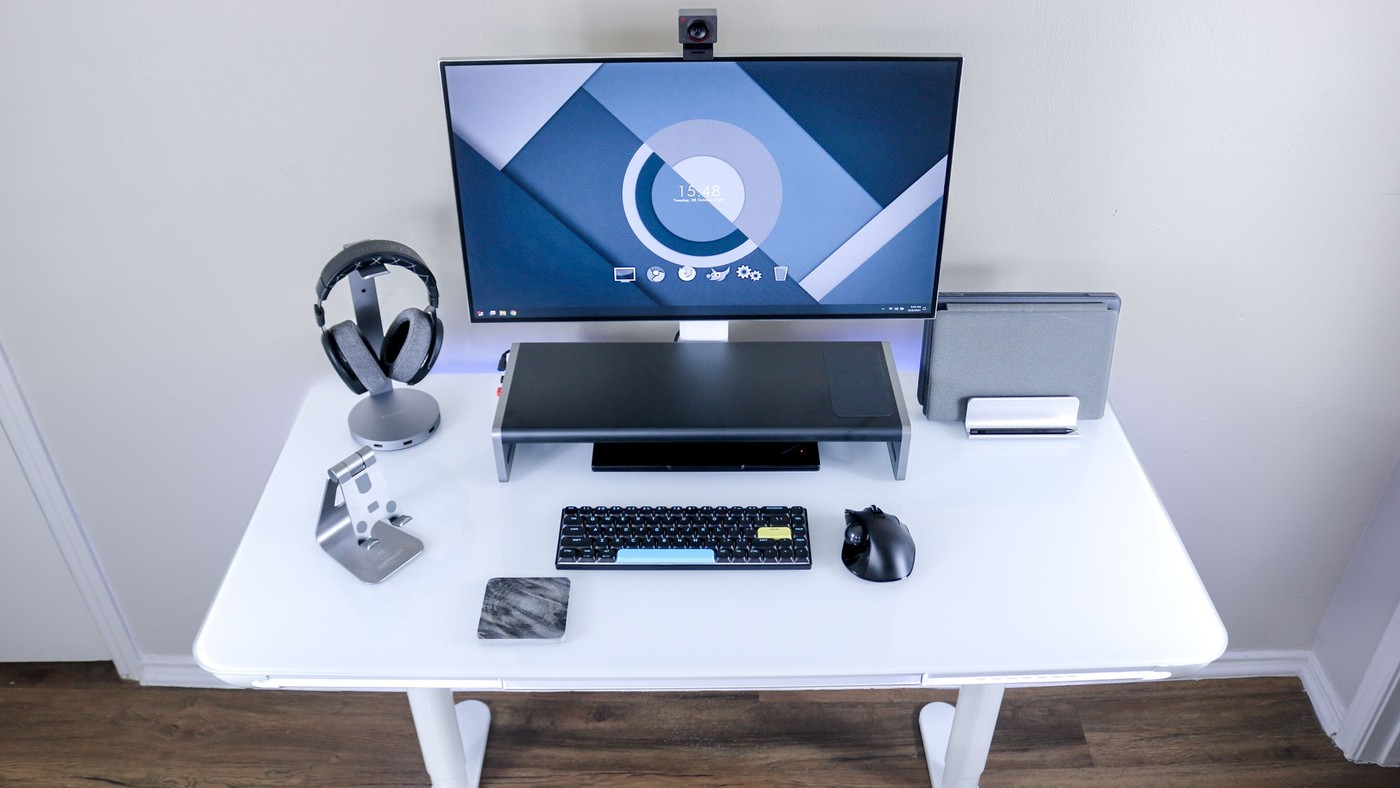
The LiftSync Clear Plus adds a drawer and charging ports, but its glass top changes how an external-monitor setup can be organized.
Storage without a separate cabinet
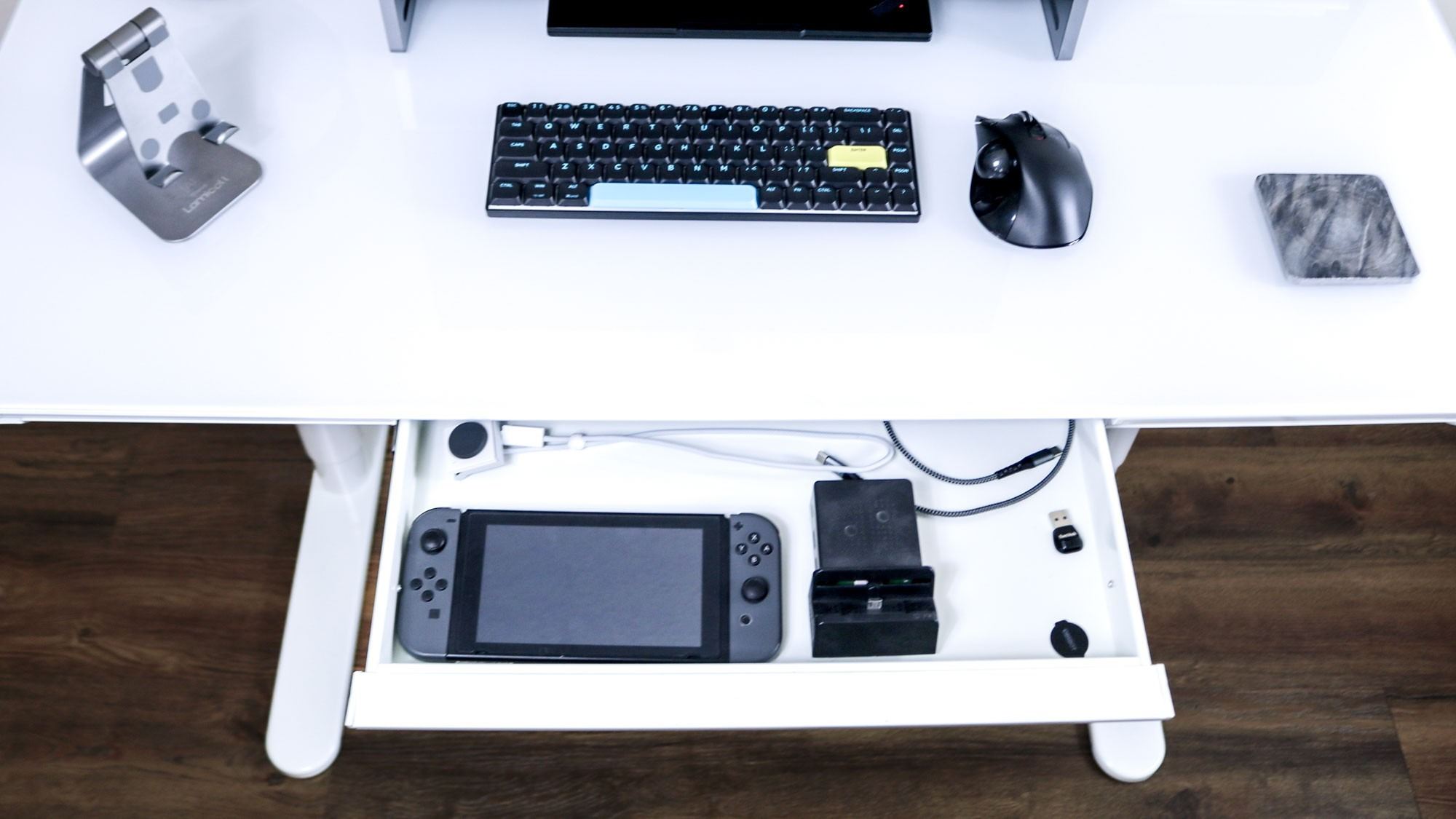
The reviewed electric standing desk has a tempered-glass surface and a shallow built-in drawer suitable for smaller devices and accessories. USB charging ports beside the keypad can keep a phone or headphones connected. Tom's Guide found the desk suitable for a laptop arrangement and also used it with a monitor and docking station, within its stated weight limit.
Solve the cable problem early
The glass desktop does not accept a conventional screwed-on cable tray, and the manufacturer did not offer a dedicated tray in the review. A separate solution therefore needs planning before the desk is fully loaded. Some mice also need a mat on glass. These practical points matter more to a laptop-and-monitor arrangement than the integrated lighting: storage, surface compatibility and cable support determine how much equipment can be kept comfortably in place.
Leave a route from the front power connection
The review notes an unusual detail: the desk's power lead connects near the front-mounted control area, then needs routing toward the rear. Adhesive clamps were supplied, but the reviewer still had to plan the cable run. The listed 47-by-24-inch top, 110-pound capacity and 28.3-to-46.5-inch height range provide further boundaries for the setup. The USB-A and USB-C charging sockets do not support fast charging, so they should not be assumed to replace a laptop power supply. Before settling on a dock or external display, account for its weight, its own power equipment and the way those leads can move with the desktop.
Choose accessories for the glass surface rather than around it
The tempered-glass top is central to both the clean appearance and the mounting limitations in the review. A conventional screwed-on tray cannot be treated as an ordinary addition, and clamp accessories need explicit compatibility checks rather than assumptions based on the desk's total load rating. Identify the intended display support, docking hardware and cable storage before loading the surface. A desk that suits a light laptop setup may need a different arrangement for a larger collection of devices.
The reviewer used a separate adhesive-supported cable solution, but that account is not blanket approval for every adhesive or attachment on glass. Follow the desk and accessory makers' instructions for the proposed combination. The same care applies to cleaning: the source values easy maintenance while noting visible smudges, but the current care instructions should govern products used on the actual surface. Consider how the finished setup will be cleaned without disturbing unsupported equipment.
Separate the small-device ports from a laptop dock
The built-in USB-A and USB-C ports were useful for keeping smaller devices available, yet the source says they do not support fast charging. A laptop-and-monitor arrangement may therefore still need a proper charger or compatible powered dock. The reviewer chose an Anker shelf dock partly to reduce the number of separate power connections. That is a specific solution to the wiring problem, not an included capability of the desk's own charging sockets.
Keep the shallow drawer's role equally specific. It can store selected flat devices and accessories, but available space depends on their dimensions and the drawer's limited depth. A stored tablet and a running computer also have different requirements. Decide what will actually be put away between sessions, then leave the working area clear for the equipment that must remain out. Integrated storage is helpful when it matches those items, not simply because a drawer exists.
Plan the moving setup through its full range
The front power connection described in the review creates a visible routing task before the desk is used. The lead needs a planned route toward the supply with enough freedom for permitted height changes, alongside the computer and monitor cables. Check the current instructions rather than making a tightly tensioned bundle at the lowest position. A tidy seated view is incomplete if a later height change pulls on plugs or drags adapters.
The review's positive observations came from a particular load and arrangement, with its stated capacity setting a clear boundary. Count the monitor, dock and accessories as well as the computer when evaluating that load. The integrated perimeter lighting is optional decoration and does not solve task illumination or pointer tracking on glass. Test the actual mouse and add a suitable mat if needed before deciding that the visually clean surface is also ready for daily work.
References
- I just tested this glass standing desk with integrated RGB lighting — and it’s perfect for your laptop. Tom's Guide; Anthony Spadafora.


Bir Cevap Yaz
E-posta adresiniz yayınlanmayacak. Gerekli alanlar * ile işaretlenmişlerdir.