
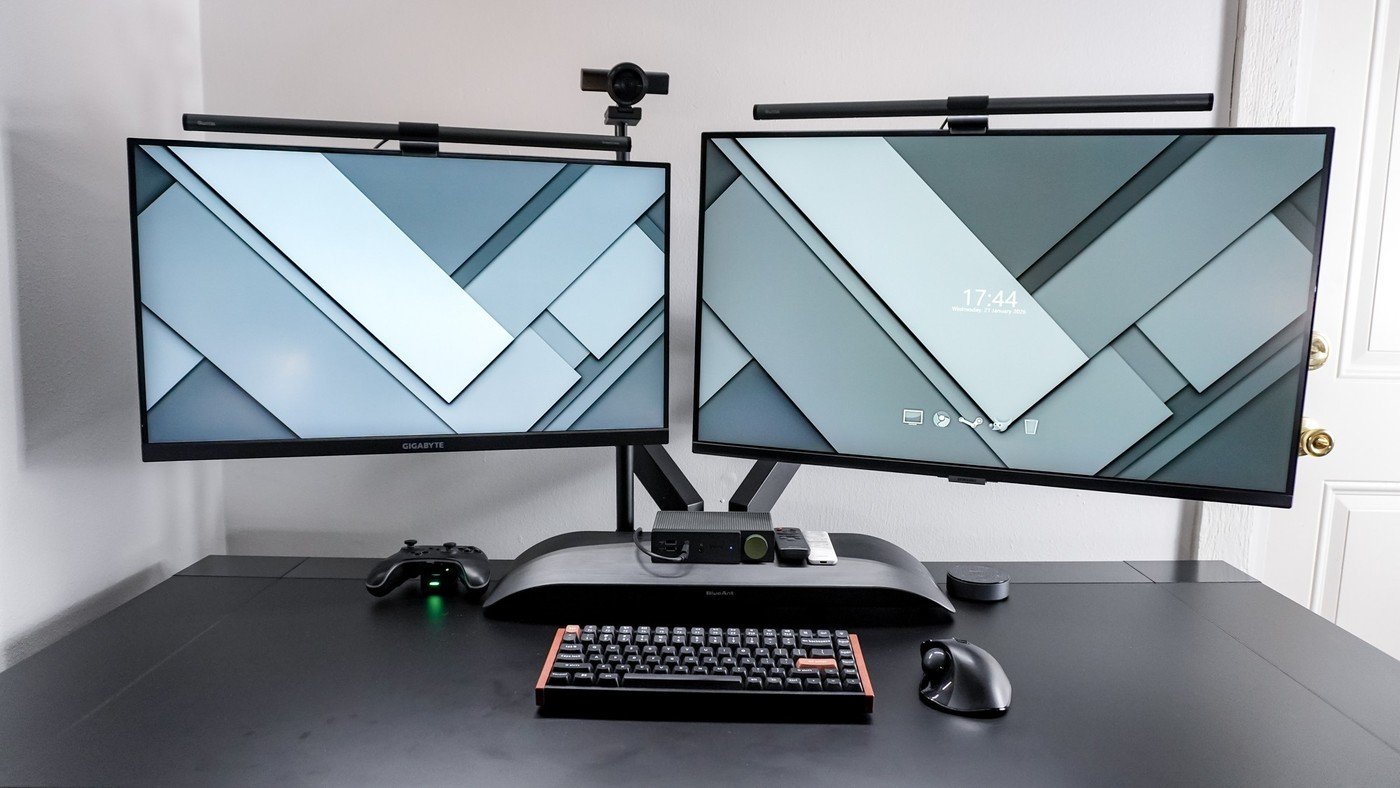
An independent camera mount can simplify a crowded monitor arrangement, but the clamp needs a usable place at the rear of the desk.
Separate the camera from the screen
Tom's Guide describes using a SmallRig desk mount to position a webcam independently of a dual-monitor setup. That avoids choosing one monitor bezel as the permanent camera location and allows the displays to move without dragging the camera cable. It also leaves the top of each screen available for a monitor light bar.
Check the rear edge carefully
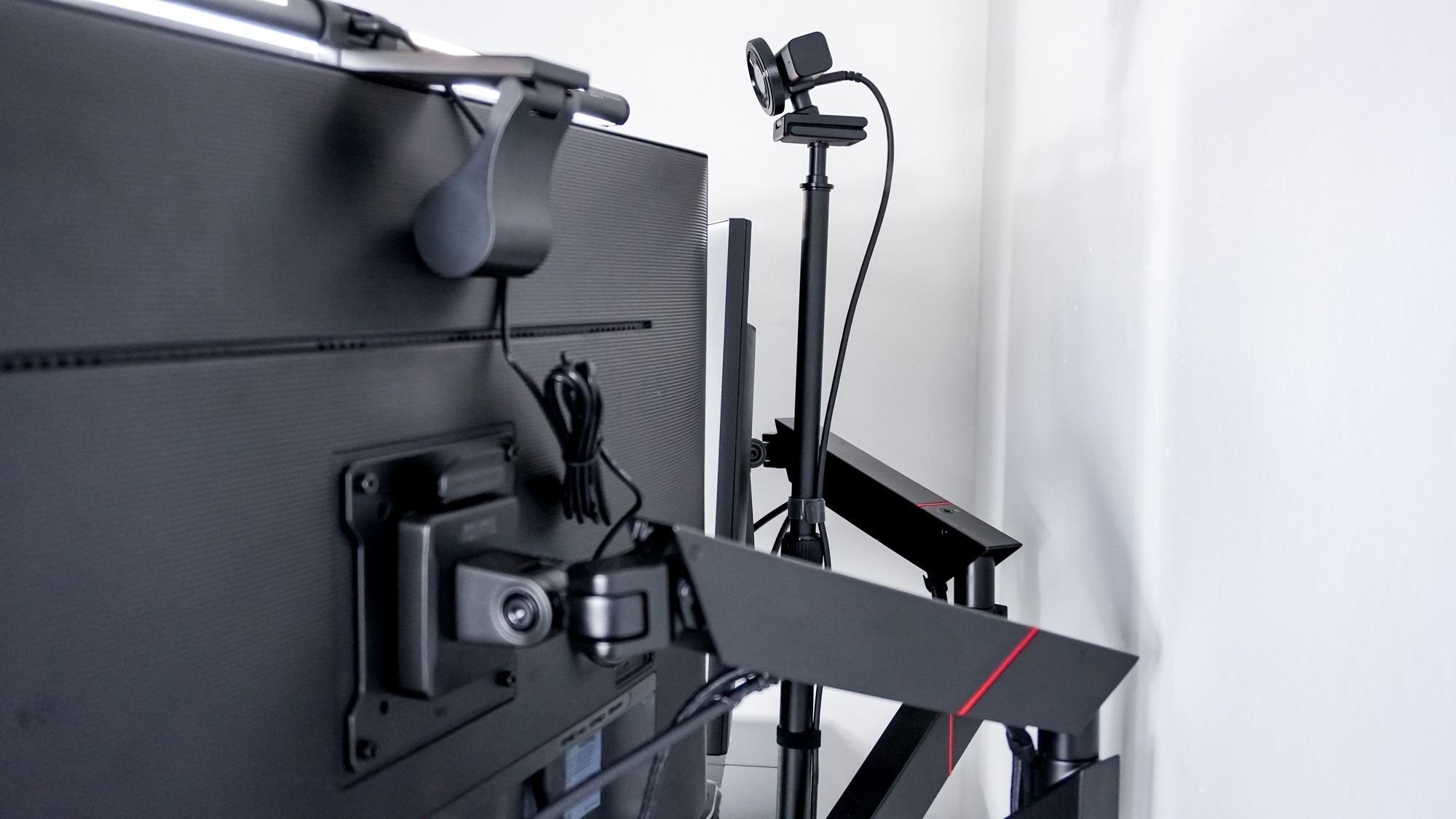
The tested Secretlab desk had a cable tray that restricted clamp placement, so the mount could not sit exactly where the writer originally wanted. That issue becomes especially relevant on a small desk with several rear-mounted accessories. Reusable ties along the mount's pole helped contain the webcam lead. Before copying the arrangement, measure the available clamp space and consider the camera, monitor supports and cable tray together rather than treating them as independent additions.
Allow room for height and cable adjustments
The SmallRig mount described in the article adjusts from 19 to 35 inches and includes a ball-head adapter and a ring-light adapter. That range gives a webcam a separate support, but it does not guarantee a centered position on every desk. The writer's cable-management tray obstructed the ideal clamp location, requiring an offset installation. This is useful evidence for checking the underside as well as the visible back edge before ordering. Route the webcam lead against the pole with reusable ties, as the article demonstrates, while preserving enough freedom for the intended camera position. Finally, inspect the view from the normal seated position: a mechanically secure camera is only useful if its framing works during an actual call.
Check the clamp location before planning a centered camera
The most instructive limitation in the source is behind the displays. The Secretlab desk's cable tray left too little room for the camera mount to sit exactly where the writer first intended. He eventually clamped it slightly away from the center. A clear view of the desktop would not have revealed that restriction, which is why the rear structure needs checking before the camera's ideal position is marked out.
Inspect the desktop edge, tray and nearby monitor-arm hardware together. There must be a location permitted by the mount and desk instructions where the clamp can seat and be tightened properly. Do not solve an obstruction by balancing the clamp on an unsuitable lip or relying on an accessory hook intended for a different load. The source's successful compromise was a secure, nearly centered location, rather than forcing the original arrangement at any cost.
Match the joint and camera to the actual support
The SmallRig kit in the article includes a ball-head adapter and another adapter for a ring light. Its height extends from about nineteen to thirty-five inches, allowing a camera to be positioned independently of either monitor bezel. The writer briefly tested the support with a Canon DSLR before installing the lighter webcam. That was a reported test of his equipment and mounting position, not certification for every camera or extended-arm arrangement.
The source presents load figures in ways that depend on orientation, so obtain the current manufacturer's specification for the exact setup rather than transferring a headline number from one position to another. Consider the camera, adapter and any additional accessory together. A small webcam may still need a suitable attachment and restrained cable movement. Confirm the camera's thread or approved mounting interface before purchasing an adapter solely because its shape resembles the one shown.
Verify the call experience after mechanical installation
One benefit of the separate pole is that moving a monitor no longer moves the webcam cable attached to it. The writer secured the cable along the round support with hook-and-loop ties, since the mount lacks an integrated cable channel. Leave the cable sufficient freedom for the permitted camera movement while keeping it away from pinch points. Then move the monitors through their normal range and inspect whether the arrangement remains undisturbed.
Finally, test an actual seated call view. Place the meeting window where looking at participants does not repeatedly draw attention far away from the camera. Check the image with the normal chair position and the monitor light bars installed, because the source valued retaining those lights as well as both screens. The outcome to evaluate is a secure camera that produces useful framing in everyday work, not simply a pole that fits somewhere behind the desk.
References
- I added this $30 accessory to my desk setup and it finally let me use dual monitors comfortably for video calls. Tom's Guide; Anthony Spadafora.


Bir Cevap Yaz
E-posta adresiniz yayınlanmayacak. Gerekli alanlar * ile işaretlenmişlerdir.