
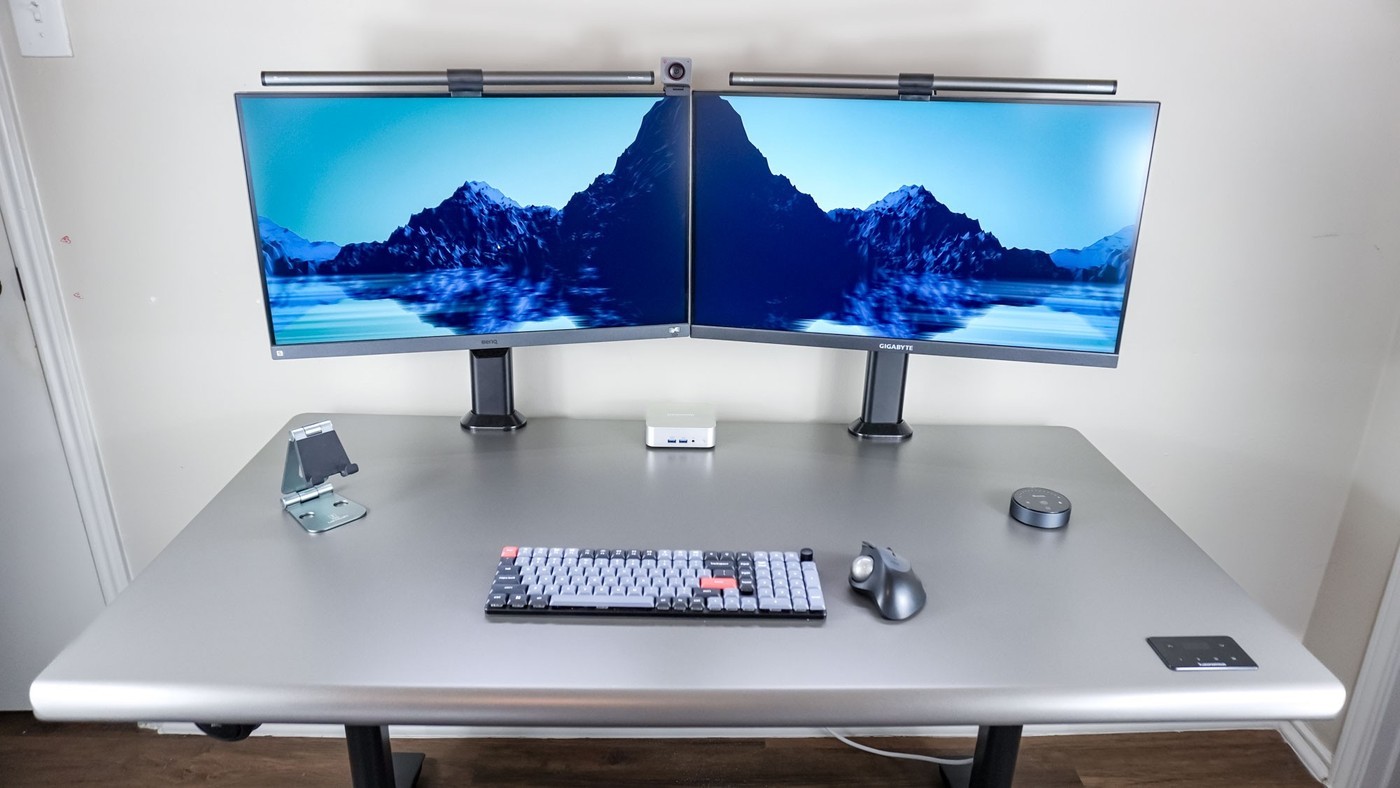
A Tom's Guide desk experiment highlights both the extra flexibility and the additional wiring involved in returning to two monitors.
Angle the displays together
The writer arranged a 27-inch and a 28-inch monitor at slight angles so their inner edges met. The layout provided separate full-screen spaces for two browser windows while avoiding a wide central gap. Matching monitors would have created a more uniform appearance, although the experiment deliberately used screens already available.
Budget for the extra connections
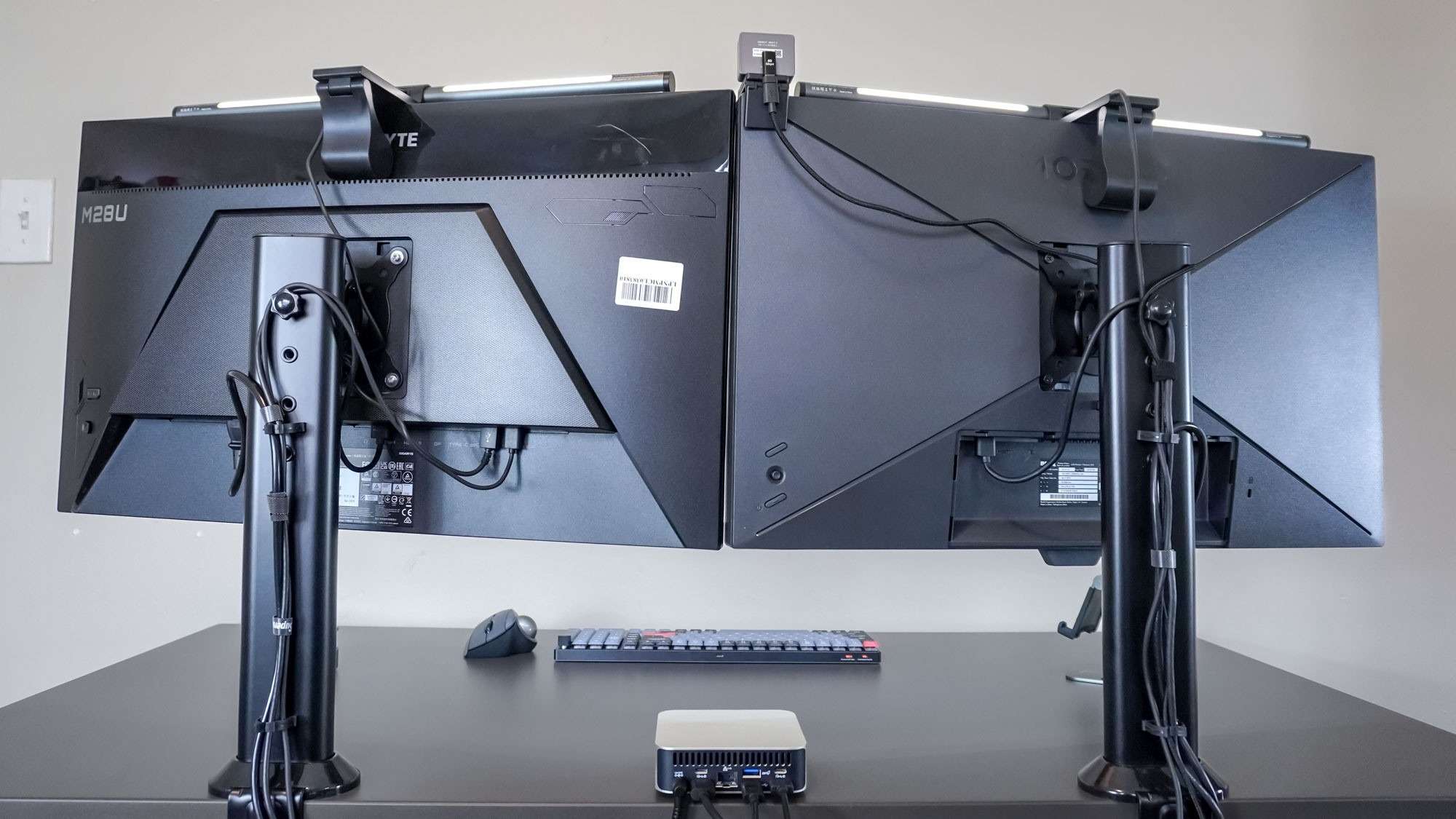
Two displays meant more cables to route than a single ultrawide. Separate clamp-on Hemudu stands helped organize the wires using their posts and clips. Monitor light bars drew power from USB ports instead of taking additional wall outlets, and the screen arrangement left room for a webcam between the displays. The useful lesson is to plan accessories alongside the monitors: camera position, lighting and cable paths all affect whether the finished layout feels orderly.
Choose the layout around the applications
The experiment used a Geekom A6 mini PC with a BenQ display and a Gigabyte M28U while testing an Autonomous desk. It therefore illustrates a particular working arrangement, rather than a controlled comparison of matching monitor pairs. The writer mainly worked in two Chrome windows, so a bezel between separate windows caused less difficulty than it might across one continuous image. Full-screen video stayed on a single display. The source also explains that some games and consoles do not provide an ultrawide picture, which can leave unused areas on a wider panel. Decide whether independent full-screen spaces or a continuous canvas better fits the actual software before choosing between these layouts.
Count power and accessory leads before routing the monitors
The source's transition back to two displays made the additional wiring noticeable. Each monitor introduced its own needs, while the light bars and computer still had to be supplied. The writer used USB ports on the Gigabyte display to power both light bars, reducing pressure on the desk's limited outlets. That is a specific port-allocation choice, not evidence that every monitor's USB sockets can support any combination of accessories.
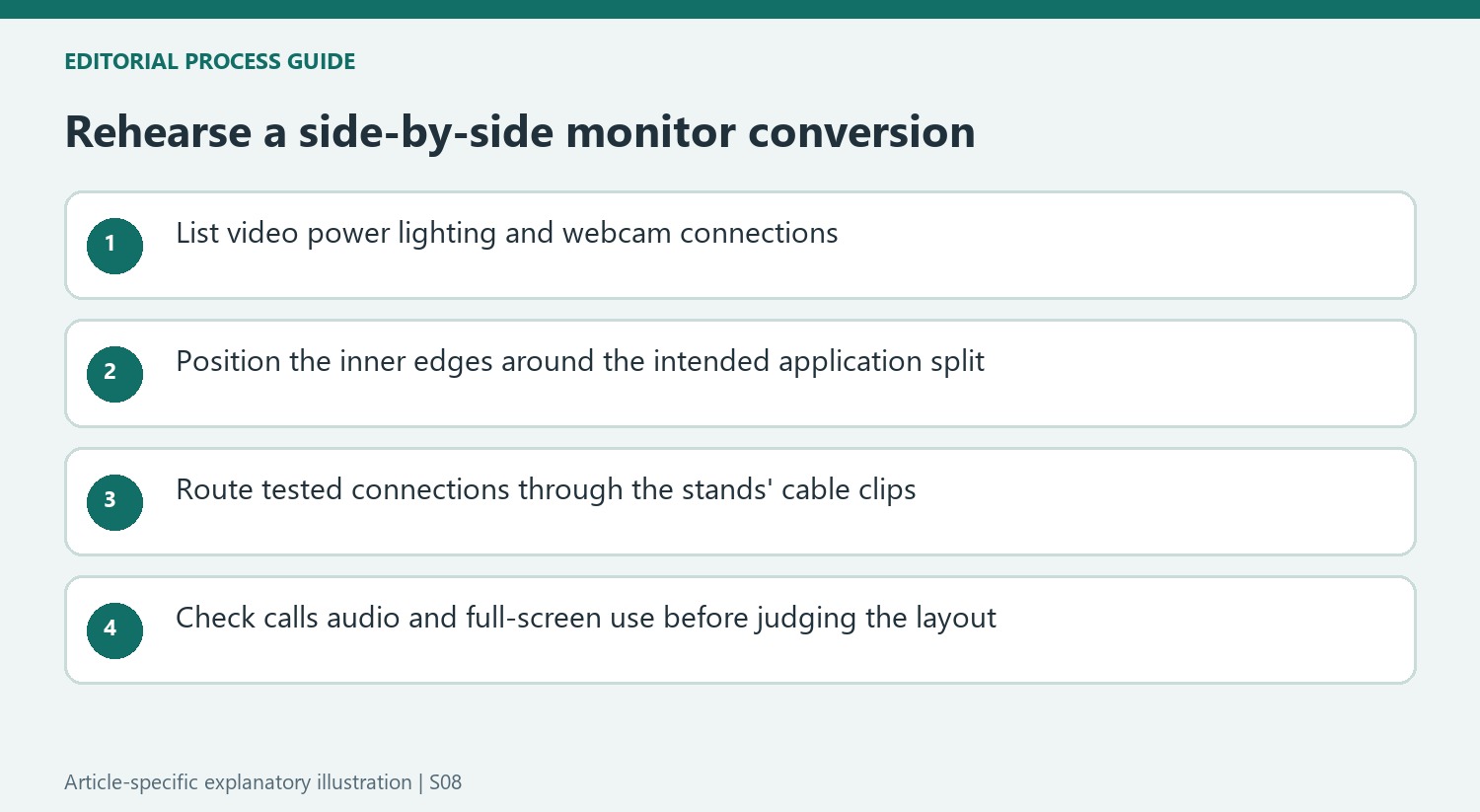
A comparable installation can begin with a connection list: video path for each display, monitor power, computer power, lighting and any webcam lead. Confirm the source and destination of each cable before hiding it in a stand's clips. Leave the access needed for a connector to be removed later. An uncluttered rear view is easier to maintain when the leads have known functions rather than being bundled before the arrangement has been tested.
Keep the experiment separate from a matched-monitor recommendation
The article combines a 27-inch BenQ screen and a 28-inch Gigabyte model because those were available for the desk and mini-PC experiment. The writer says that buying a matching pair from scratch would have produced a more consistent appearance. The reported experience therefore does not isolate whether differences in size, image settings or speakers matter as much as the choice between one ultrawide and two separate panels.
The bezel was a minor issue for his usual two-browser-window work because each application remained on its own display. A continuous large image, a wide editing timeline or another application that spans the center may produce a different preference. Try the actual window arrangement before copying the screen count. Similarly, full-screen video stayed on one monitor, which is a different viewing experience from stretching the same material across a wide, uninterrupted panel.
Treat the returned-to workstation as part of the conclusion
After two weeks, the writer returned to an ultrawide with a portable screen beneath it. That matters because the story describes a successful alternative experiment, rather than a permanent rejection of the older setup. The lower screen was useful for a communication application while two browser windows occupied the main panel. Compare that distribution with two side-by-side full-screen spaces instead of presenting the article as proof that either layout is universally superior.
Camera and audio placement also shaped the experiment. The writer valued space for light bars and a compact webcam, and used a monitor's speakers instead of adding separate speakers to that particular desk. Those choices reduced some desktop demands while introducing their own positioning requirements. The arrangement should be judged as a group of connected decisions about applications, sound, calls and furniture, with the option to change it when the user's work changes.
References
- I ditched my ultrawide display for this dual-monitor setup — here's what happened. Tom's Guide; Anthony Spadafora.


Bir Cevap Yaz
E-posta adresiniz yayınlanmayacak. Gerekli alanlar * ile işaretlenmişlerdir.