
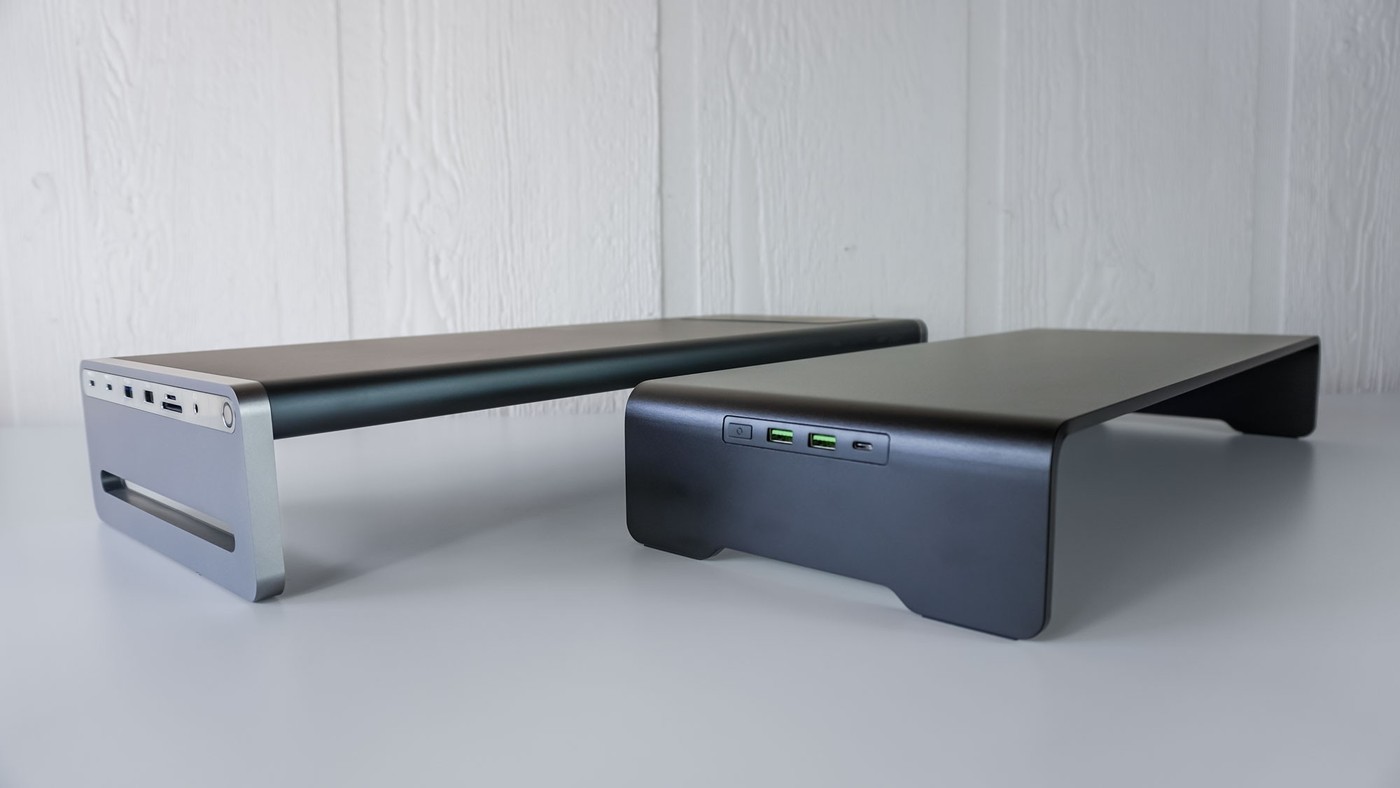
A comparison of Razer's stand and Anker's 675 dock shows why similar-looking desk shelves can create very different laptop workstations.
A shelf is not always a dock
Both products lift a monitor and leave storage below, but their connections differ. Tom's Guide notes that the Razer Monitor Stand Chroma provides a USB-C hub and HDMI output without charging the laptop. The Anker 675 includes a power supply, laptop charging, card readers and additional ports, making it a more integrated docking option.
Match the load and the layout
Razer's all-aluminum construction supports more weight than the Anker shelf, while the Anker unit is slightly larger. The comparison also highlights different port locations, which affect where a laptop and its cables can sit. Neither product's single HDMI output makes it a complete multi-monitor dock. Decide whether the priority is lifting one display, reducing separate chargers, or bringing ports within reach, then check the specific model rather than judging by the shelf shape.
Check shared power and reachable card slots
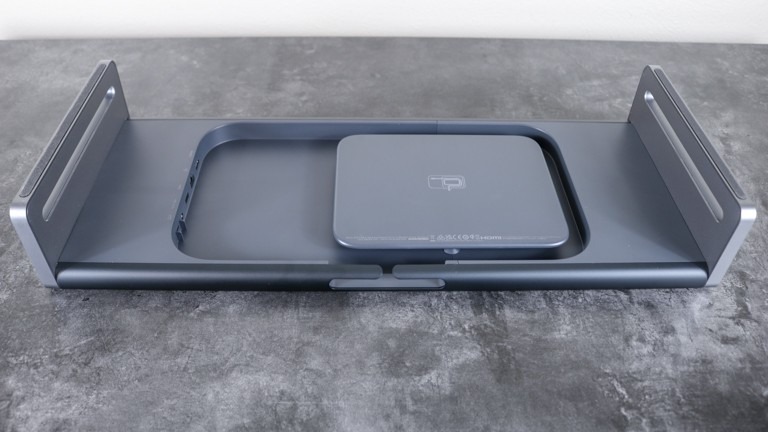
The source lists a 100W host connection on the Anker dock and a separate shared power budget for its exterior USB-C ports. Those are different allocations, so the power-supply rating should not be interpreted as the amount available to every connected device at once. Its card readers and audio socket also create reasons to reach the side of the shelf repeatedly. Leave that area accessible instead of trapping it between a wall and another accessory. The Razer stand's 44-pound limit contrasts with the Anker's 22-pound limit, making monitor weight another concrete filter. Read the current manufacturer's charging specification separately from the comparison's wireless-charger label before selecting a phone-charging arrangement.
Start with what the laptop needs while working
The most consequential difference is not the finish or lighting but whether the computer should receive power through the shelf. Anker's supplied power system and host charging connection can suit a compatible laptop, whereas Razer leaves laptop charging to another adapter. Check the machine's required power under the actual workload. A large gaming laptop may still need its original supply even when a dock can provide useful USB-C charging for a smaller computer.
Do not read the Anker power supply's total rating as a promise of that much output to the host alone. The source separates host power from the external accessory ports and notes a shared budget for some connections. Confirm the current allocation rules when several devices will charge together. This matters more than simply counting USB-C sockets, because the available output can differ by socket and by the combination in use.
Make the port locations part of the furniture plan
The comparison highlights how frequently accessed ports occupy the sides while permanent upstream and video connections sit underneath or toward the rear. Leave enough space for a hand and the connected plug at the side used for card readers, headphones or removable storage. A shelf squeezed tightly between furniture may preserve its support function while making its extra connections inconvenient, undermining a major reason to choose the docking version.
Anker's built-in cable management gives excess lead a place to go, while the simpler Razer connection set produces fewer permanent leads to arrange. Neither approach removes the need to identify each cable's purpose and maintain suitable clearance behind the desk. The two shelves also differ in opening dimensions. Check the actual device intended for storage below, including its connectors, rather than assuming that a slightly larger exterior always creates enough usable space.
Compare software and construction without declaring a universal winner
Razer's button customization and coordinated RGB effects depend on its software ecosystem. The source writer valued those options, but a workstation that needs straightforward charging, card access and Ethernet may place greater weight on Anker's additional hardware. The article also reports that the Anker dock was not supported by the management application the writer tried. Treat that as the reported software status, not a forecast that support will never change.
The construction and weight limits provide another independent filter: the heavier all-aluminum Razer unit supports more load, while Anker combines an aluminum top with plastic elements. Confirm both the monitor's complete weight and its base dimensions. Each product has one HDMI output, so a multi-monitor plan needs separate verification rather than assuming the shelf is a full multi-display dock. The appropriate choice follows the equipment, charging demand and access requirements of the finished desk.
References
- I put 2 monitor stands to the test that double as laptop docks — here's the winner. Tom's Guide; Anthony Spadafora.


Bir Cevap Yaz
E-posta adresiniz yayınlanmayacak. Gerekli alanlar * ile işaretlenmişlerdir.