
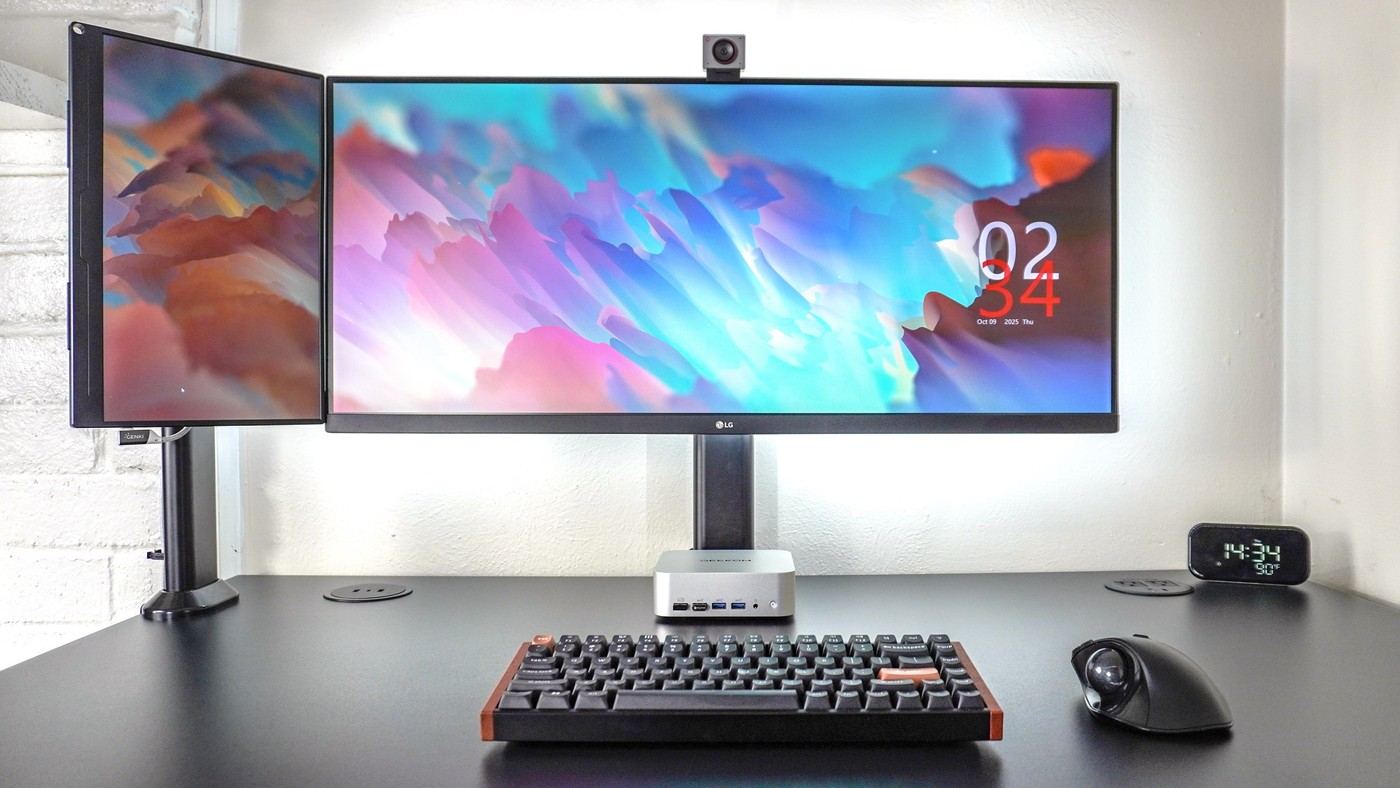
A Tom's Guide writer replaced a stacked portable-monitor arrangement with a fifteen-point-six-inch screen in portrait beside a thirty-four-inch ultrawide. The writer preferred the new placement for communication apps and regained the desk area underneath the main display. The smaller panel's height was a useful match.
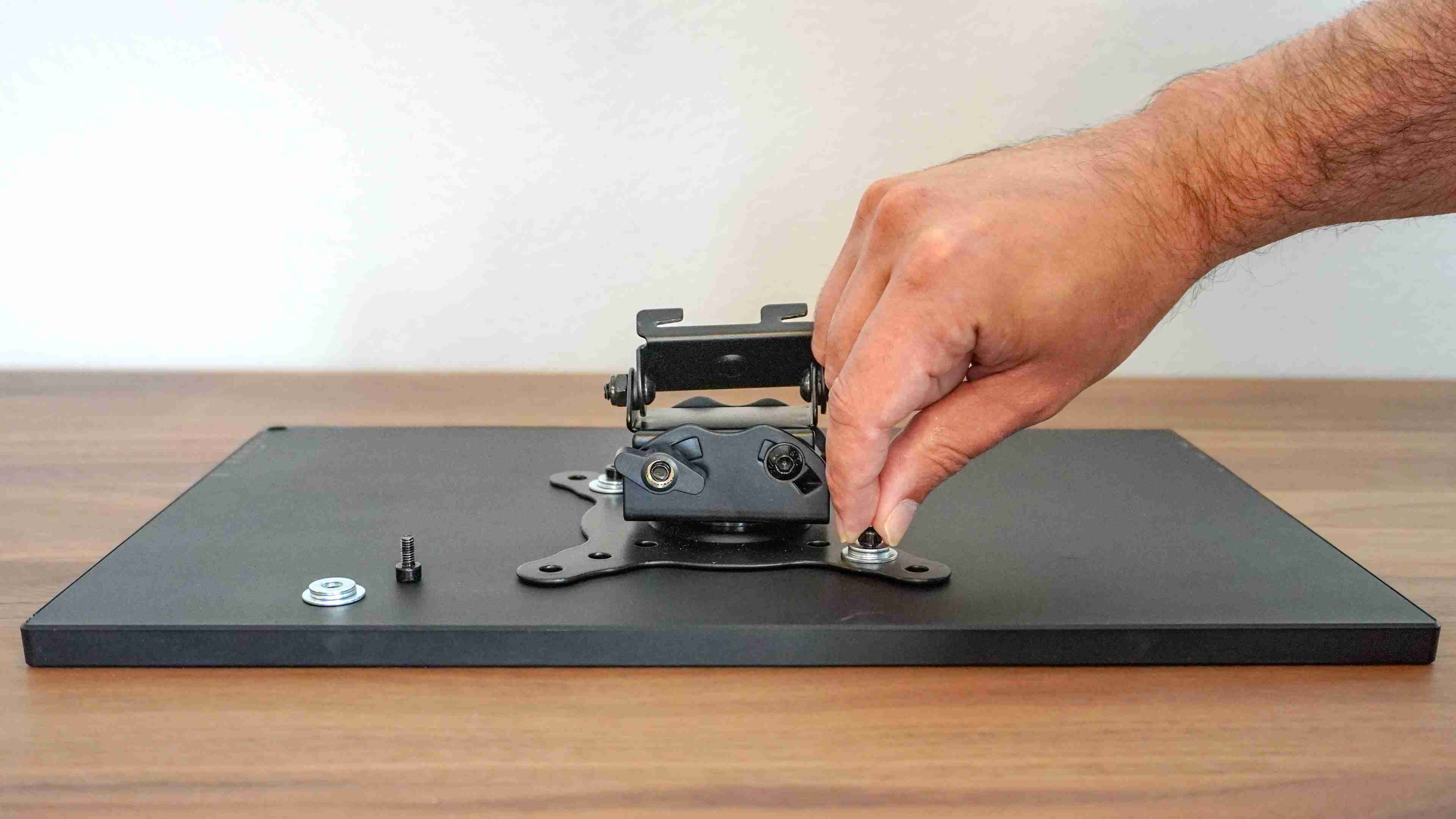
The example required checking its seventy-five-millimeter VESA holes, screw depth and spacers. Also confirm an arm's minimum load for a light portable screen. The successful arrangement depended on the particular hardware, not diagonal size alone.
Give the portrait panel an auxiliary job
In the reported arrangement, the ultrawide remained the main writing and research surface. The smaller portrait panel held Slack, product specifications or a dashboard with a calendar and weather. That separation explains the value of the extra display: it made reference information available without repeatedly rearranging the main work windows. It was not intended to make every screen equally important.
Use a connection that carries the required signal
The writer powered and connected the portable monitor with one USB-C cable, using a computer port capable of the required functions. The panel also offered a full-size HDMI input and a second USB-C port, but alternative connections may need a separate power arrangement. Check those details against the actual computer rather than assuming that every USB-C socket provides the same capability.
Keep the newly freed area useful
Moving the portable display away from the space under the ultrawide exposed the mini PC and its front and side ports. That mattered because the writer regularly changed test systems and needed access to card readers and USB connections. In a fixed workstation, the recovered area may have another purpose. Preserve that benefit instead of immediately filling the gap with unrelated accessories or another screen.
Preserve the main display's role while adding a reference screen
The writer's initial problem was not a shortage of width for two main windows; the ultrawide already handled writing and research. Team communication introduced a third persistent information stream. A small portrait panel gave that stream a place without replacing the main work area. Identify a similarly specific need before adding a display, since an always-visible extra window can also become another distraction when no task requires it.
The source then found additional auxiliary roles, including specifications and a calendar-style dashboard. These uses share a pattern: information remains available without commanding the full main screen. Decide which application belongs there during different tasks and how often it should be consulted. The arrangement's value comes from that division of work, rather than a claim that three visible areas automatically outperform two for every person.
Check physical dimensions rather than repeating the diagonal match
The reported 15.6-inch portable screen in portrait matched the height of the writer's particular 34-inch ultrawide well. Other aspect ratios, bezel sizes and stands can change that relationship even when the diagonals sound similar. Compare complete panel dimensions and the support's usable adjustment. Allow room for the inner edges to sit at an appropriate angle without forcing the primary screen away from its useful central position.
The portable panel also needed suitable screws and spacers because its mounting recesses were shallower than a conventional monitor's. Follow the actual manufacturer's requirements rather than treating the source's hardware choice as universal. Weight is relevant in both directions: a light screen still has to fall within an arm's supported range, including any minimum load needed for its mechanism. Confirm those details before assuming that a lighter panel is automatically easier to mount.
Keep access and movement in the evaluation
The writer valued regaining the space under the ultrawide partly because he regularly changes mini PCs and reaches their ports. That is a specific benefit of relocating the smaller screen, not a reason to leave every desk with the same empty center. Identify whether the recovered area will serve connections, documents or another genuine task. Filling it immediately with unrelated objects can erase the advantage that motivated the change.
The account describes the writer turning his chair or body to view the side panel rather than holding a sustained neck turn. Check how the actual arrangement is used during a normal session, especially if the auxiliary application becomes more important than expected. The successful one-cable USB-C connection also depends on compatible video and power functions. Verify them for the intended host, and preserve suitable lead length for any standing-desk travel or support adjustments.
References
- I added a portable monitor next to my main display and this inexpensive upgrade is a game changer. Tom's Guide; Anthony Spadafora.


Bir Cevap Yaz
E-posta adresiniz yayınlanmayacak. Gerekli alanlar * ile işaretlenmişlerdir.