
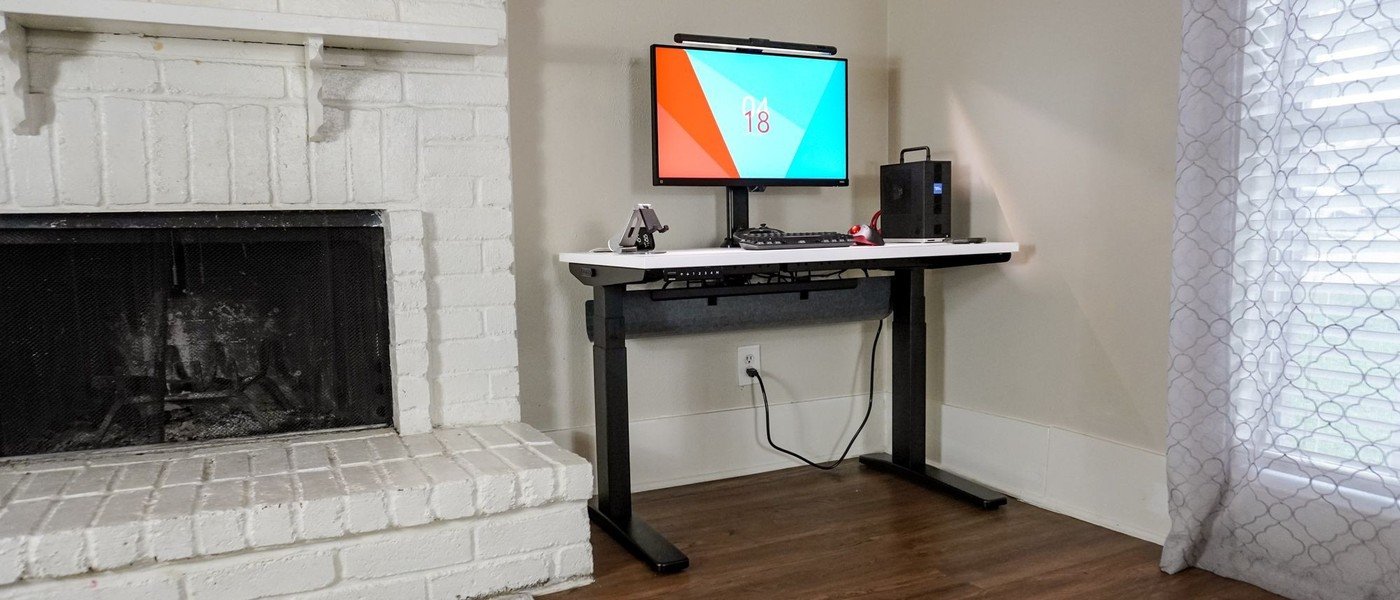
Uplift's adjustable tray can make room for rear monitor hardware while still holding adapters and a power strip.
Use the mounting positions
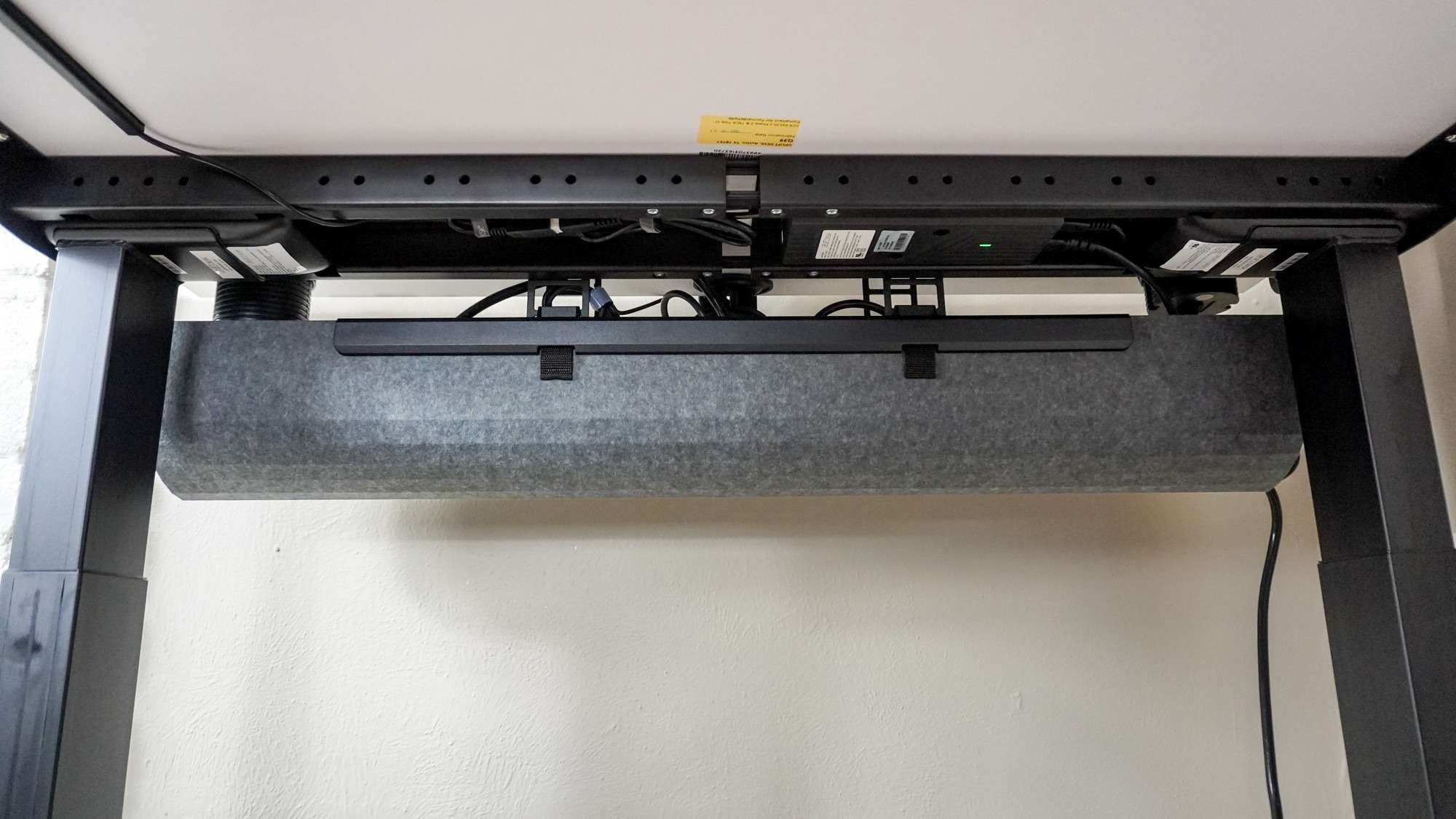
Tom's Guide describes the included FlexMount Cable Manager as wider and more flexible than the previous tray. It attaches to brackets at the rear using predrilled holes, with several mounting and height positions. That adjustment lets the tray move relative to the desk edge rather than occupying one fixed location regardless of the equipment above.
Plan around the rear clamp area
The reviewer specifically notes the benefit of making space for monitor arms while still accommodating a surge protector and power bricks. Those items often compete for the same area behind the desktop. The tray is therefore useful as part of an overall layout, not merely a final hiding place for leftover wires. Decide where the monitor clamps and larger adapters belong before settling the tray position, and follow the desk's installation instructions for the selected arrangement.
Use the tray's adjustments to avoid competing hardware
The review gives five mounting-hole positions and four height positions for the FlexMount tray. That allows its location to change around a rear-mounted display support instead of forcing the monitor clamp and adapters into one fixed space. Select the arm position first, then test the tray with the actual power bricks and plugs. The source's desk was a small 42-inch configuration, illustrating why this flexibility can matter even without a large desktop. Accessories such as a drawer or slim laptop shelf were separate options in the wider system. Leave room for future additions without assuming the cable tray is also a general-purpose storage compartment for everything under the desk.
Locate the clamp before filling the cable manager
The wider flexible tray is most useful when its mounting positions are chosen around the actual monitor hardware. An arm clamp, bulky power adapter and surge protector can all compete for the rear underside of a desk. Lay out those components before fastening the tray and filling it with cables. The five mounting-hole positions and four height choices provide adjustment, but they do not remove the need to preserve clamp access and confirm that every part fits.
Leave enough space to reach plugs and remove an adapter without dismantling the entire arrangement. Follow the equipment makers' ventilation requirements rather than treating the cable manager as a general shelf for electronics. The source's focus is organizing leads and power accessories while accommodating the mount. That purpose is different from supporting a computer in any available gap. A tidy view from the front is only one part of a serviceable underside layout.
Check the complete height range with the real cable paths
A standing desk changes the distance between equipment on the top and connections elsewhere in the room. Arrange leads so the specified movement can occur without tension, snagging or a plug being pulled sideways. After assembly, inspect the route through the actual travel needed for the user. Desk-mounted and floor-connected accessories create different slack requirements, so a single tight bundle is not automatically the cleanest workable solution.
The review's positive stability and smooth-stop observations came from its own configuration, including a relatively small desktop. They do not establish identical behavior for every surface size, load or accessory combination. Include the actual monitors, arms and other supported items when comparing the current capacity documentation. The controller also matters: available preset counts vary, and the tested four-preset keypad should not be assumed to accompany every order.
Configure the working surface before optional accessories
The range of widths, depths and finishes can make ordering more complicated than the basic desk concept suggests. Start with the space needed for input devices, monitor distance and the rear mount rather than selecting every attractive option. The source distinguishes standard grommet covers from optional powered versions and describes additional storage accessories separately. Keep those differences visible when comparing the quoted price with the complete arrangement desired.
Preassembled frame elements and inserted bolts helped an experienced reviewer complete the build quickly. That experience is useful context, not a guaranteed assembly time for every buyer or workspace. Read the current sequence and arrange any help required for the chosen top. Once the working height, mount placement and cable access are established, decide whether a drawer, laptop shelf or power grommet solves a remaining need. The tray's flexibility is strongest when it supports a deliberate workstation plan.
References
- I spent a month testing the new Uplift V3 standing desk and it’s the perfect investment for your new home office. Tom's Guide; Anthony Spadafora.


Bir Cevap Yaz
E-posta adresiniz yayınlanmayacak. Gerekli alanlar * ile işaretlenmişlerdir.