
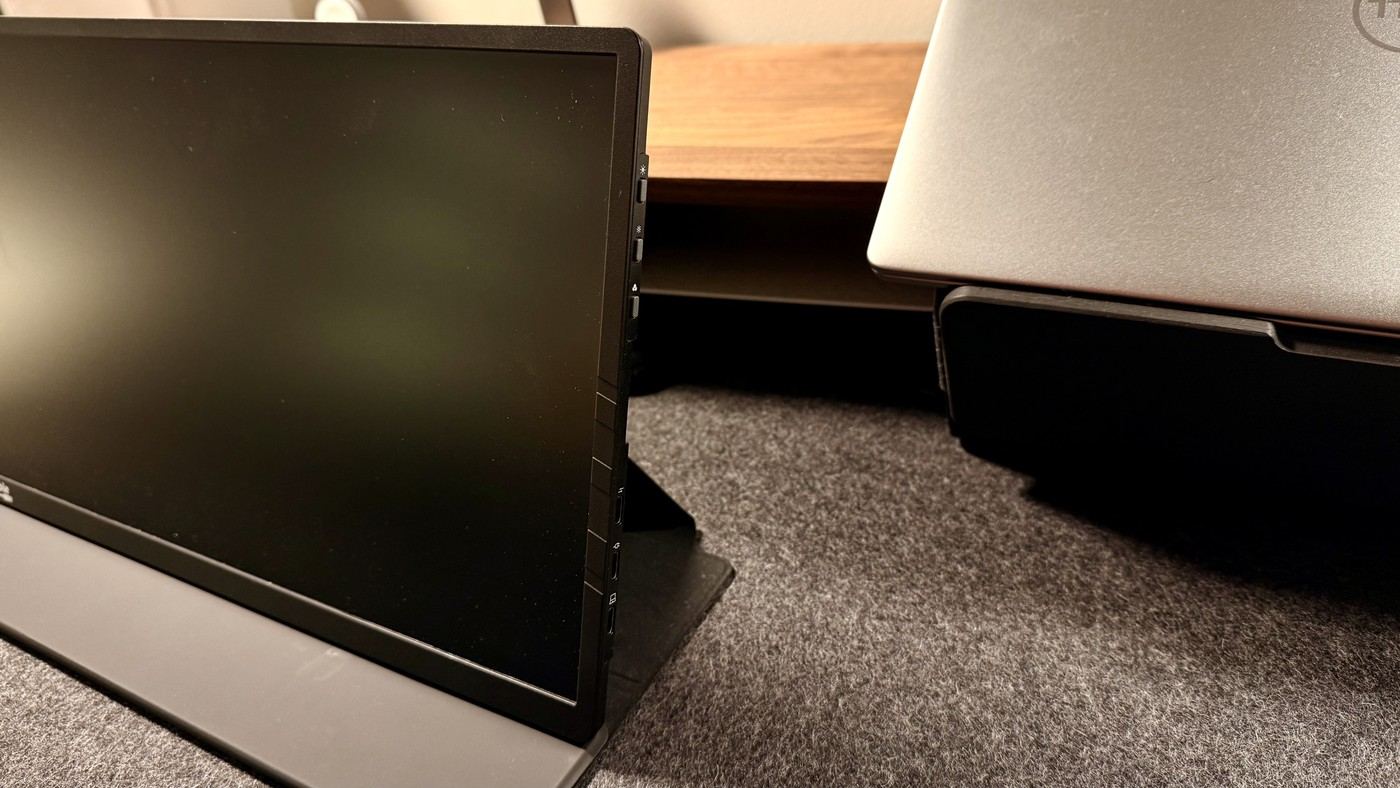
TechRadar's Plugable portable-monitor review describes a fifteen-point-six-inch Full HD panel with a magnetic folio that becomes its stand. The reviewer liked the light construction and straightforward USB-C setup. An anti-glare surface helps manage reflections in ordinary indoor use.
There is no VESA mounting option, and the three-hundred-nit brightness limits use in direct sunlight. Choose a stable tabletop position compatible with the folio rather than assuming a standard monitor arm will attach. Its minimal support suits temporary workspaces more naturally than a permanently elevated screen arrangement.
Separate pass-through input from laptop charging output
The source describes up to 100W pass-through capability with 85W available for the connected host. That distinction matters when comparing the adapter's rating with what reaches the laptop. Charging also requires an appropriate external supply; the extra display does not create power on its own. Check the current product documentation for the exact port allocation and the machine's needs.
Use the hub only for a defined set of accessories
Two additional USB-C ports support data transfer, giving the portable screen a second role beside displaying an image. A drive or another small accessory may then connect without occupying every laptop port. Place those devices so they do not pull against the panel or folio. A useful hub becomes less convenient if its leads undermine the stability of the lightweight arrangement.
Keep modifications separate from standard equipment
The reviewer added a laptop light bar using an adhesive magnetic attachment and adjusted cable direction with a right-angle adapter. Those were personal modifications, not built-in stand options or evidence of VESA support. Start with the supplied folio and cable on a suitable surface, then evaluate whether any accessory is compatible and necessary. The reported 840-gram weight includes the folio, making it a practical part of the travel configuration.
Include the folio in the carrying and placement decision
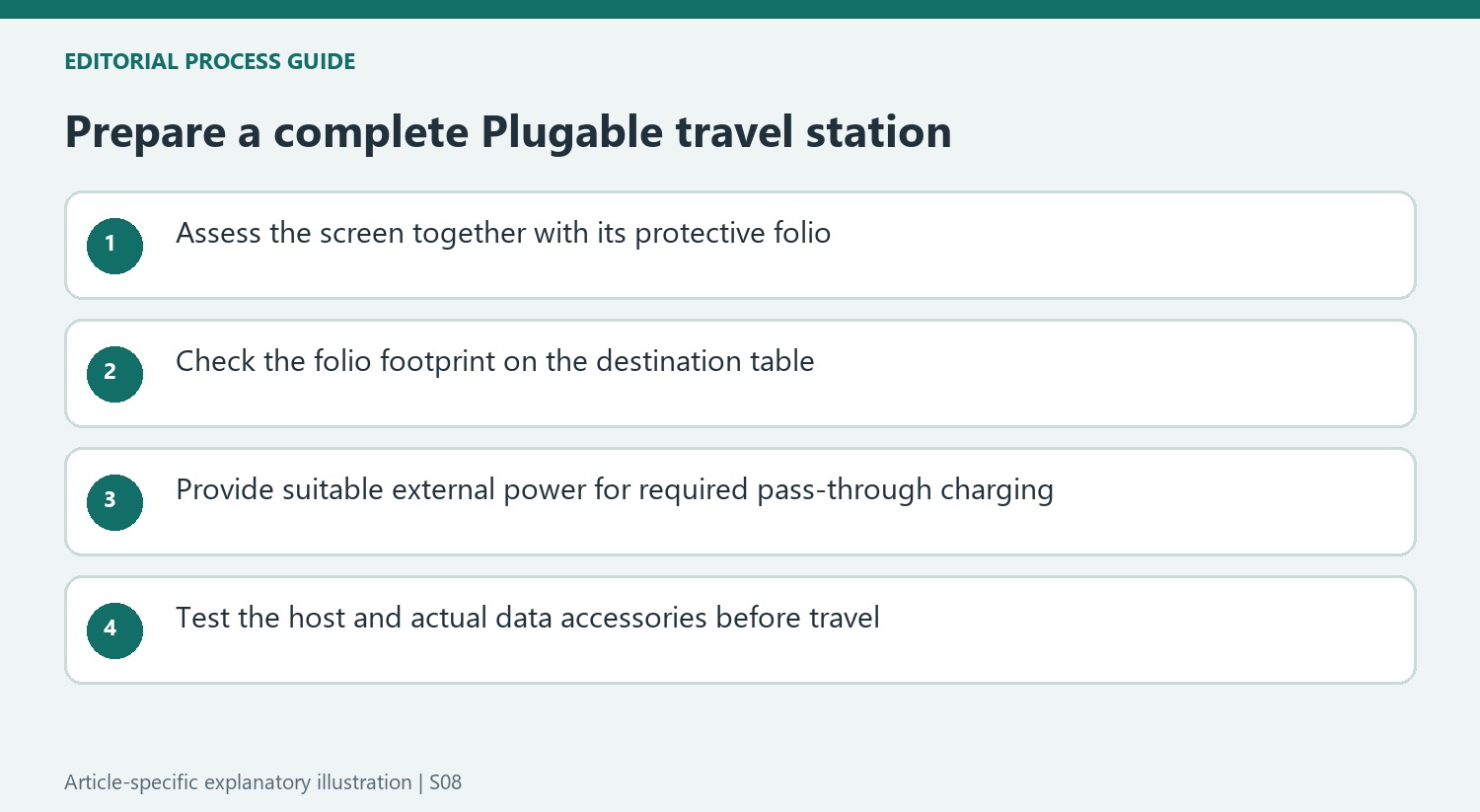
The quoted weight includes the protective folio, which matters when comparing a complete travel kit rather than an unprotected panel. The same cover acts as the desktop support, so it is part of the working arrangement after arrival. Check how much surface it occupies at the preferred angle and whether the input device still fits comfortably. A lightweight screen can be awkward on a small table if the support footprint was excluded from the original comparison.
The review values moving the display between rooms and taking it on trips. That use differs from permanently attaching a second monitor to an arm. This model does not offer VESA mounting or a built-in magnetic mounting system, and the folio should be assessed on its own terms. If the destination requires a fixed mounting point, establish a documented compatible solution rather than treating the reviewer's personal modifications as included hardware or approved standard installation methods.
Account for the source of pass-through power
Pass-through charging transfers power from a suitable external supply; the monitor does not generate it. The source distinguishes a maximum 100W input from the stated 85W available for the host. Compare the laptop's actual power needs and the connected accessories with the current specification. A powerful charger, a suitable cable and a host that supports the intended connection are separate requirements, even if they all share the same connector shape.
The two additional data ports can make a portable station less cluttered when modest peripherals are needed. Their usefulness still depends on the host connection and the actual devices attached. Test the expected keyboard, storage or other accessories along with video and charging before traveling. Include the necessary supply in the bag if the intended setup depends on it, instead of assuming that the display's portability removes the need for an outlet during a long session.
Keep panel expectations aligned with a mobile office role
A 15.6-inch Full HD IPS display at 60Hz provides a conventional second workspace. Its roughly 300-nit brightness rating should not be interpreted as evidence of easy readability in direct sunlight. Try representative documents at the expected viewing distance and room lighting. A useful companion for reference material, email or meetings does not need to be presented as a specialist image-production screen to justify its place in a travel kit.
The source's adhesive magnetic ring, added light bar and right-angle adapter describe one reviewer's experiment. They are not factory features, and their consequences for support, clearance and warranty would need independent confirmation. Start by evaluating the supplied folio and cable arrangement. Historical pricing and support terms can inform the comparison, but lifetime support language is not a promise that every physical part lasts indefinitely. The stronger purchasing case is a repeatable, compatible routine at the places where the screen will actually be used.
References
- I reviewed this 15.6in display and this might be my favorite portable monitor ever. TechRadar; Collin Probst.


Bir Cevap Yaz
E-posta adresiniz yayınlanmayacak. Gerekli alanlar * ile işaretlenmişlerdir.