
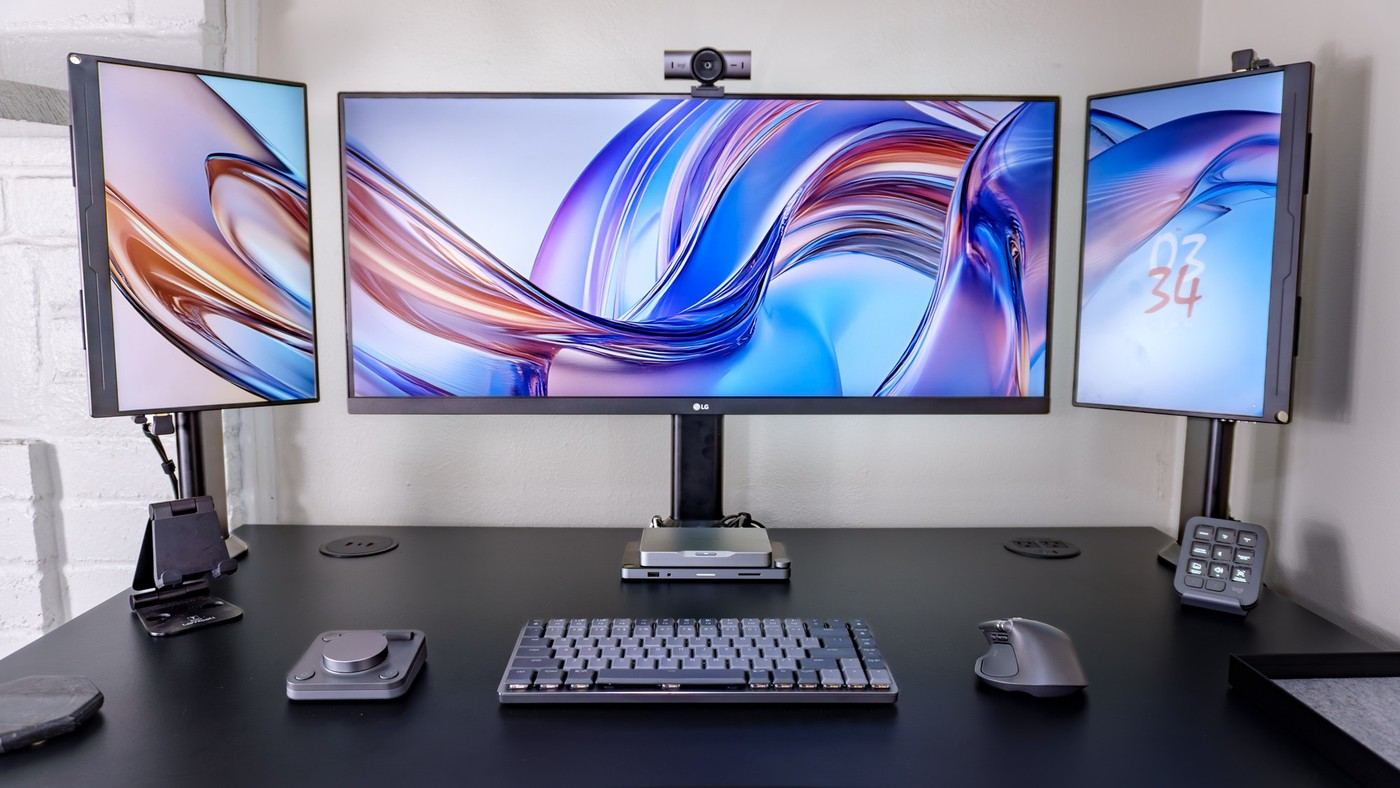
A Logitech-centered desk experiment uses two sideways portable displays to hold supporting windows beside a larger main screen.
Match the physical heights
Tom's Guide describes discovering that a 15.6 inch portable monitor turned sideways was close to the height of an ultrawide display. The writer added one on each side and angled them toward the seated position. Desk dimensions prevented the bezels from meeting exactly, leaving a small gap. This shows why the real width, mounting position and usable furniture area matter even when the screen heights appear to match.
Check the connections before copying it
A Khadas mini PC and its separate dock provided the outputs for the three-display arrangement. The side screens held notes and work chats while the main monitor retained space for two windows. That arrangement reflected the writer's workflow rather than a universal productivity result. Verify the actual computer's supported displays and make room for the extra video and power connections before planning the same portrait-wing layout.
Leave working space for the additional controls
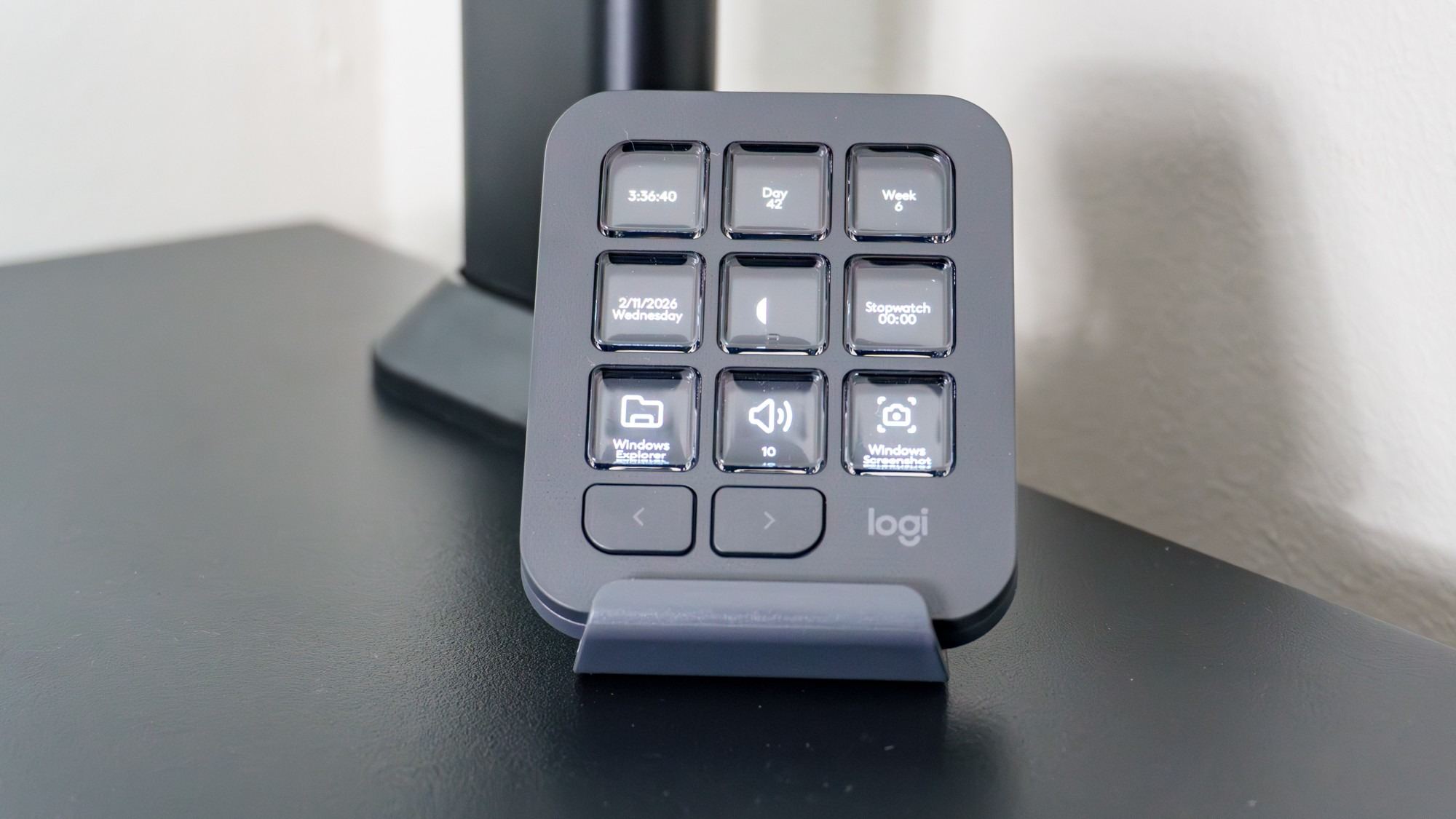
The source's workstation also includes a compact MX Mechanical Mini keyboard, an MX Master 4 mouse and an MX Creative Console with a separate dial pad. Choosing the smaller keyboard helped create room at its side, but the console added another device that needed a deliberate position. The main screen remained an LG ultrawide, with two Uperfect portable panels used for supporting information. That equipment list explains why merely matching the monitor layout may not recreate the writer's experience. Decide which shortcuts and reference windows are actually needed, then leave room for their controls. Extra screens should support the working sequence rather than displace the keyboard or mouse into awkward positions.
Assign each display a job before adding the second wing
The source's ultrawide continued to hold two main windows while the portable panels kept notes and communication visible. That distribution explains the extra screens more clearly than a promise of greater productivity from screen count alone. Decide what information needs to remain visible and whether it is consulted often enough to justify another panel. An unused auxiliary view can still occupy furniture space and compete for attention.
The small gaps beside the ultrawide also matter because the writer accepted them as a consequence of the desk and support geometry. Matching panel heights did not make every edge meet automatically. Check the actual bases, clamp positions and depth before trying to reproduce the layout. It is more useful to preserve readable content and a comfortable main working position than to force bezel alignment at the expense of support or input-device space.
Treat the computer and dock as a particular output combination
The Khadas computer's own HDMI connection and the additional dock outputs supplied the three displays in the account. That is a feature of the specific computer-and-accessory combination, not something every similarly small PC can do. Verify the supported number of displays, resolutions and connection paths before buying the panels. Include any separate power requirements for the portable screens, since an HDMI image lead does not itself establish their power source.
The webcam adds another connection with its own cable requirements. The writer appreciated a removable lead and notes that supported high-resolution or high-frame-rate use requires an appropriate data cable. Keep it within the current device specification rather than substituting any charging lead with the same connector. This is another reason to plan the complete connection list before concealing everything behind three screens.
Configure the extra controls around repeated actions
The most interesting outcome of the peripheral trial was not that every shortcut button was constantly pressed. The writer used some display keys for glanceable information and reassigned the dial for horizontal and vertical scrolling because another device already handled volume. That is a practical example of avoiding redundant controls. Begin with the actions repeated in the actual workflow, then assign a small set that can be learned reliably.
The account covers about a week and says several advanced options remained unexplored. Keep its enthusiasm tied to that initial experience rather than presenting a complete long-term evaluation of every integration. It also allows keeping a preferred keyboard and adding just one useful device. Compare that modest route with the full ecosystem, including software support, reach and desk area. Coordinated peripherals can be convenient without requiring every worker to replace all existing input devices at once.
References
- I went ‘all-in’ on Logitech’s MX Master Series for my new desk setup — and this accessory was the real game changer. Tom's Guide; Anthony Spadafora.


Bir Cevap Yaz
E-posta adresiniz yayınlanmayacak. Gerekli alanlar * ile işaretlenmişlerdir.